Strong photography sells fine jewellery, and for independent designers and small boutiques in Hatton Garden, London's jewellery quarter in EC1N, a smartphone is now a genuinely capable tool. Whether you trade from a bench near Greville Street, a studio off Leather Lane or a showroom by Chancery Lane, clear images are your virtual window display. This evergreen approach to smartphone jewellery photography sets out how to light, steady and style your shots, which affordable accessories make the biggest difference, and how careful editing turns a simple phone photo into a professional-looking image that does justice to your craft and attracts buyers across Farringdon and Holborn.
Light it properly
Good lighting is the single most important factor. Soft, even illumination flatters metal and reveals the sparkle in gemstones, while harsh light creates distracting glare and heavy shadows.
Affordable LED lamps work remarkably well, and a sheet of tracing paper or a small diffuser softens the beam. Position two lights at angles to fill shadow and balance the exposure across the piece.
For inspiration on presenting different metals, study how the quarter's contemporary jewellers photograph their own collections.
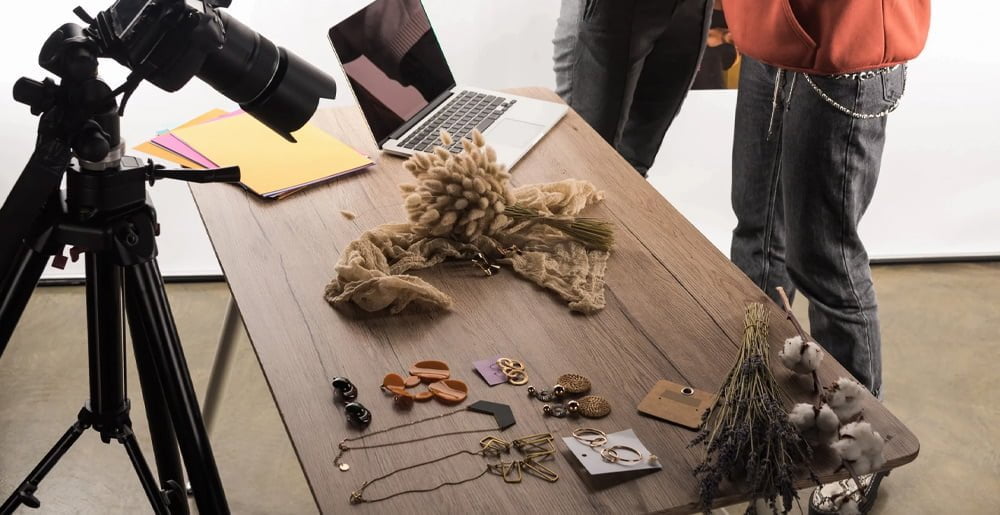
Control your camera settings
Most modern phones offer manual controls, either built in or through a dedicated camera app. Setting a custom white balance keeps metals true to colour, so silver looks silver rather than blue or yellow.
Lock focus on the most important detail, lower the ISO to reduce grain, and shoot in the highest resolution available. These small adjustments deliver noticeably crisper results.
Consistent settings across a range also help, especially when presenting pieces alongside gold and platinum jewellery where accurate colour really matters.
Steady the shot and style the scene
Camera shake ruins fine detail, so a small tripod and the self-timer are essential. An overhead mount is ideal for flat-lay shots, giving maximum control over lighting and reflections.
A tabletop lightbox with neutral and coloured backdrops keeps the focus on the piece. Props such as fabric or stone add interest without distracting from the jewellery itself.
Fun fact: The human eye perceives a diamond's sparkle as a mix of brightness, fire and scintillation, which is why moving light sources make stones look livelier on camera.
Edit for a polished finish
Editing completes the process. Free apps let you adjust brightness, contrast and white balance, and remove dust spots that the camera inevitably captures on close-up shots.
Keep edits honest, since images should match what buyers receive. With practice, your smartphone gallery will rival professional studio work and showcase your pieces, and any bespoke design commissions, at their very best.
Continue Reading
The Hatton Gazette
Delivered monthly to your inbox
Subscribe for the latest from Hatton.